Save the exact resting place of the people you love. Search Pakistan's grave records by name, walk straight to the grave, and share the way with family — wherever they are.
Pick the cemetery from a searchable list. Not there yet? Request it in a tap.
2
Create Your Account
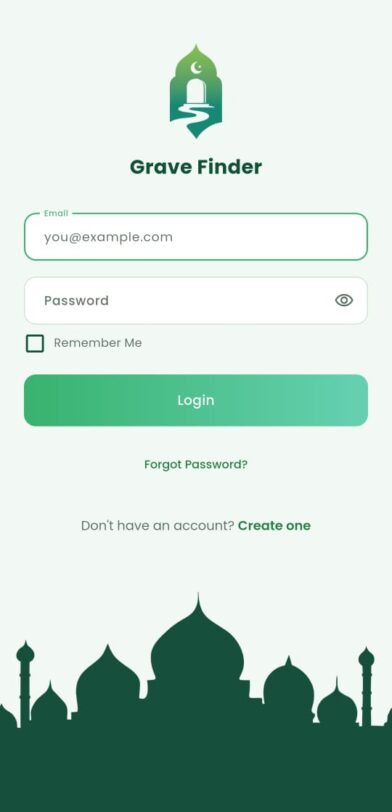
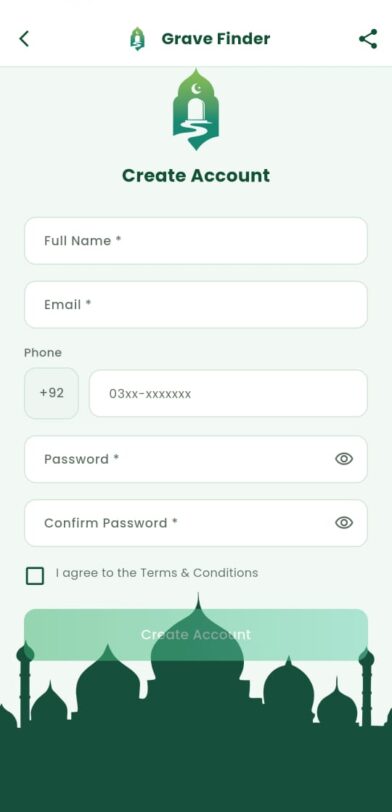
Register with your name, email, phone and password — or sign in with Google or Facebook. Verify your email with the OTP sent to your inbox.
3
Search or add
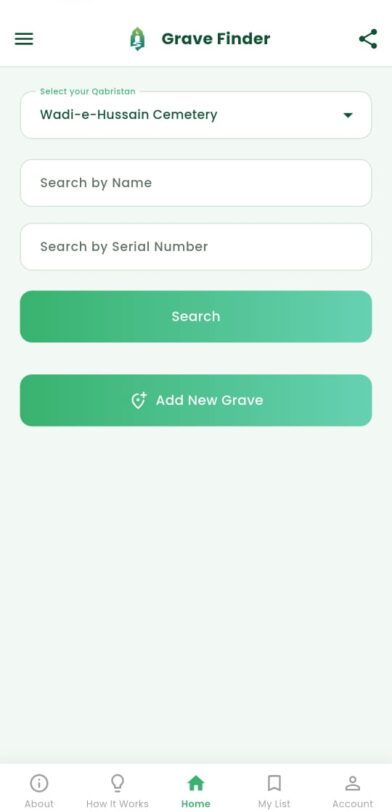
Find a grave by name or Grave Serial Number, or add a new one with a photo and a GPS pin.
4
Select a Qabristan
On the Home screen, choose your Qabristan from the searchable dropdown. If it is not listed, tap "Request New Graveyard" and submit the graveyard name, country and city for admin review.
5
Locate & visit
Open walking directions and let the app guide you to the exact resting place.
6
Search for a Grave
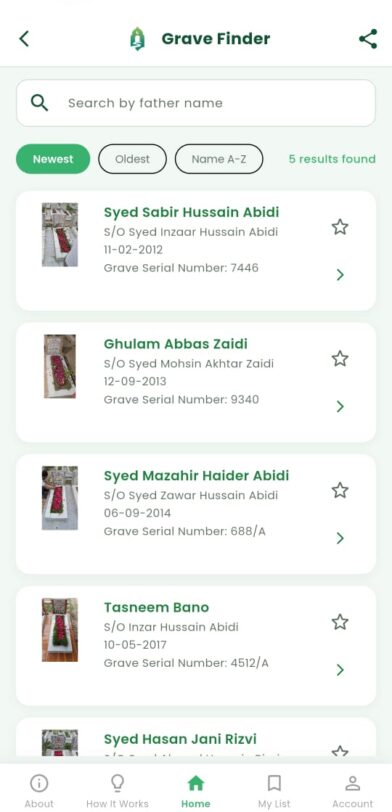
After selecting the Qabristan, search by Name or Grave Serial Number. Matching records show the name, date of death, Grave Serial Number and photo if available.
7
Save & share
Keep it in My List and share the whole list with relatives whenever they need it.
8
View Grave Details
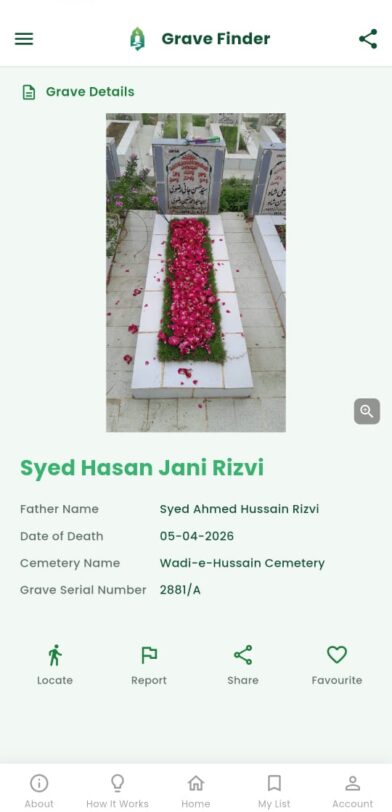
Tap a record to see the full name, father’s name, date of death, graveyard name, Grave Serial Number, photos and location.
9
Locate the Grave
Tap "Locate" to open Google Maps with walking directions to the grave. Location permission is required for this feature.
10
Add a New Grave
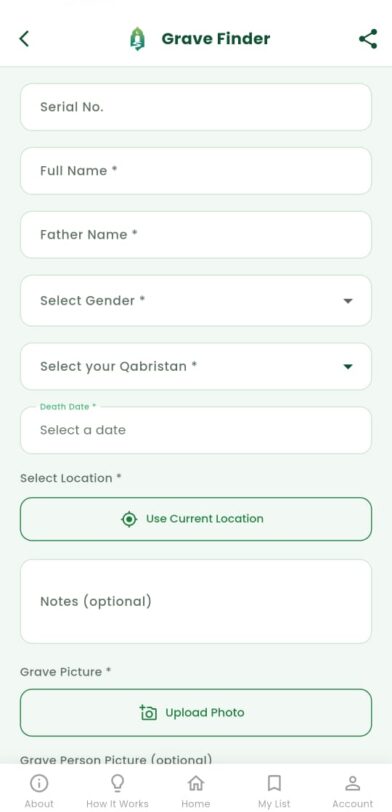
If a record does not exist, tap "Add New Grave" and enter the full name, father’s name, gender, Qabristan, date of death, location and photo. Use your current location or drop a pin on the map.
11
Save Graves to My List
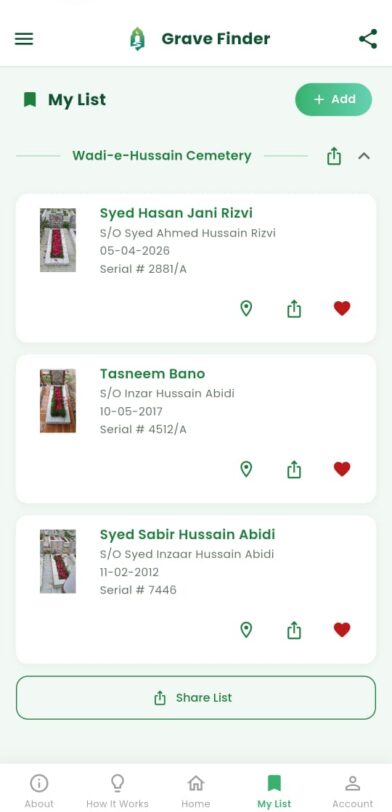
Add any grave to your favourites. Saved graves appear in "My List", grouped by Qabristan for easy access.
12
Share a Grave or List
Share a single grave link or a full list from "My List". If the receiver has the app, the link opens directly inside it; if not, they are guided to download it.
13
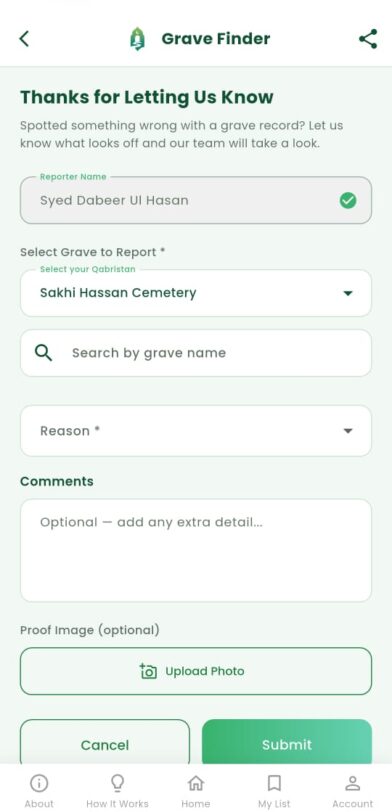
Report Incorrect Information
Found wrong details or a wrong location? Use "Report". The admin team reviews reports and takes action where needed.
14
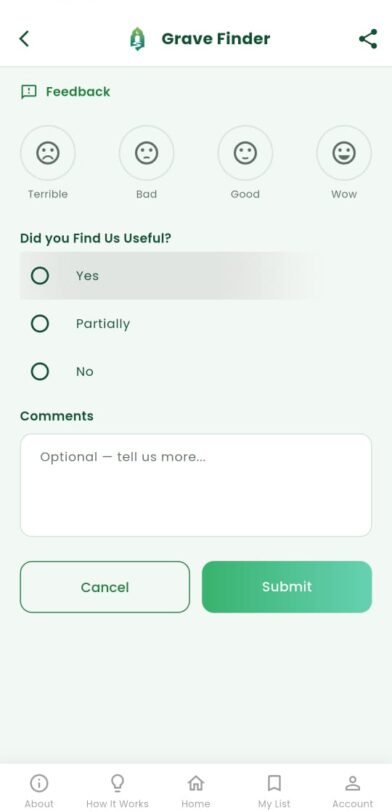
Send Feedback
Use the Feedback screen to tell us whether the app is useful and how we can improve it.
See it in action
Watch Grave Finder work.
A short walkthrough — from choosing a cemetery to walking right up to the grave.
Add your walkthrough video in Theme Settings → Video, or paste a YouTube ID.
Why we use this app
The small things, at the moments they matter most.
Not a big promise — just the few things that make a difficult visit easier.
Never lose a grave again
Save the exact spot once, and it stays with you forever — no more relying on memory or a vague corner of the cemetery.
Walk right to it
Turn-by-turn walking directions guide you to the grave itself, not just the gate — so visits stay about remembrance, not searching.
Share with the whole family
Send one grave or a full cemetery list through a single link. Relatives without the app still see the details and a map.
Respectful with your data
Only a grave record, a location and a name — never a date of birth, never more than the moment requires.
Inside the app
Every screen, one calm design.
From splash to sharing — the whole app, built to stay quiet and clear while you do something difficult.
Scroll to move through the app
Splash
Launch
Login
Email & social
Register
Create account
Search
By name or serial
Results
Recently visited
Add grave
New record + pin
Grave detail
Locate · share
My List
Grouped by cemetery
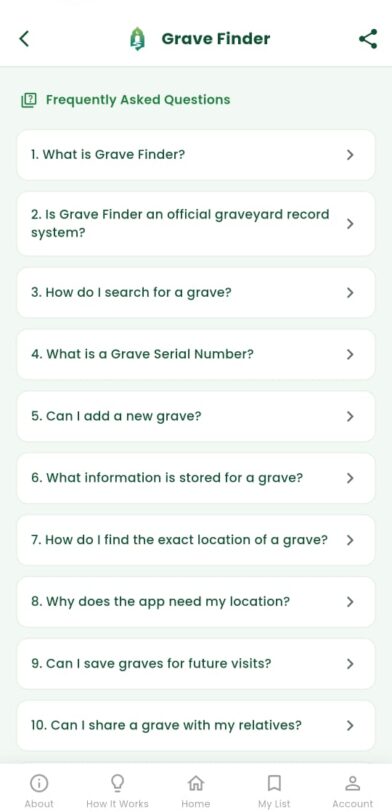
FAQ
Common questions
Feedback
Rate the app
Report
Flag a record
FAQ
Questions families ask.
1What is Grave Finder?
Grave Finder is a mobile app that helps you save, find, and share the GPS location of graves. It makes it easier for families and friends across Pakistan to visit their loved ones without worrying about losing the grave's location.
2Is Grave Finder an official graveyard record system?
No. Grave Finder is a community-based platform. Grave records may be added by users and reviewed through reports and administrator moderation. We recommend verifying important information personally when needed.
3How do I search for a grave?
Open the app, select the Qabristan, then search using the person’s name or the Grave Serial Number.
4What is a Grave Serial Number?
A Grave Serial Number is a unique number used to identify a grave in the app. If no serial number is provided when adding a grave, the app may generate one automatically.
5Can I add a new grave?
Yes. If you cannot find a grave, you can add a new grave by entering the required information, location, and photos.
6What information is stored for a grave?
Each grave record may include:
Full Name
Father’s Name
Date of Death
Grave Serial Number
Qabristan Name
GPS Location
Up to 2 Photos
Optional Notes
7How do I find the exact location of a grave?
Open the grave details and tap the Locate button. Google Maps will open and provide walking directions to the grave.
8Why does the app need my location?
Your location is only used to save the exact location of a grave and to help you navigate to it using Google Maps.
9Can I save graves for future visits?
Yes. You can add graves to your favourites list. They will be easily accessible later in My List.
10Can I share a grave with my relatives?
Yes. You can share a grave using a secure link. If the recipient has Grave Finder installed, the link will open directly in the app. Otherwise, they will see a webpage with the grave information and app download options.
11What if my Qabristan is not listed?
If your Qabristan is not available, tap "Request New Graveyard" on the Home screen and submit the graveyard name, country and city. Our admin team will review the request and add it to the app.
12What if I find incorrect information?
Open the grave details and tap Report. Select the reason, add comments or a proof photo (optional), and submit your report.
13Do I need an internet connection?
Yes. An internet connection is required to search, add, and share graves.
14Is my personal data safe?
Yes. Grave Finder uses reasonable security measures to protect your personal information. For more details, please read our Privacy Policy.
15How can I contact support?
If you need help or have any questions, please contact us at support@gravefinder.pk.
Contact us
We'd like to hear from you.
A wrong location, a missing cemetery, or a question — reach out and we'll help.
Emailsupport@gravefinder.pk
Based inKarachi, Pakistan
ResponseUsually within 1–2 days
We usually reply within a day or two.
Keep them close, even when you're far.
Free to download. Save your first resting place today, and carry the way to it in your pocket.
Effective 26-06-2026 · Grave Finder respects your privacy. This summary explains how we collect, use, store, and protect your information when you use our app and website.
1
Purpose of the service
Grave Finder lets you save, search, navigate to, and share the resting places of the deceased. It is a location and record-keeping tool, not an official cemetery registry.
2
Your account
You are responsible for the accuracy of what you add and for keeping your login secure. Records you contribute may be visible to and used by other families searching the same cemetery.
3
Accuracy & reporting
Locations are community-contributed and may contain errors. Incorrect records can be reported, and repeated reports will hide a record pending review. We don't guarantee any location is exact.
4
Respectful use
Content must be truthful and respectful of the deceased and their families. Misuse, false records, or offensive material may lead to removal and account suspension.
5
Changes
Features and these terms may change over time. Continued use after an update means you accept the current version.
Legal
Privacy Policy
Effective 26-06-2026 · Grave Finder respects your privacy. This summary explains how we collect, use, store, and protect your information when you use our app and website.
What we collect
Account details you provide (name, email, and optionally a phone number), and the grave records you create — a name, father's name, date of death, Grave Serial Number, cemetery, GPS location, and up to two photos.
Information We Collect
We may collect account information (full name, email address, phone number, and profile photo if uploaded); grave information you add (full name of the deceased, father’s name, gender, date of death, graveyard name, Grave Serial Number, location coordinates, grave photos and notes); location coordinates when you save a grave, use your current location, or open directions; report and feedback details (reason, comments, proof image, rating, suggestions); and basic technical information such as device type, app version and IP address.
What we never collect
We do not collect or store a date of birth, anywhere in the app. We ask for nothing beyond what a grave record and your account require.
How We Use Your Information
We use your information to create and manage your account, help users search and locate graves, save and display grave records, enable sharing of grave links and lists, review reports and improve accuracy, respond to feedback and support, improve performance and security, and prevent misuse, spam or inaccurate submissions.
How it’s used
Your information powers search, navigation, favourites, and sharing. Location is used only to place and reach graves, and to show your position on the map when you allow it.
Grave Records and Shared Links
Grave records may be visible to other app users when they search within the app, and shared grave links may be accessible to anyone who receives them. Please do not upload private, sensitive, offensive or misleading information. Only add information you are authorized to submit and share.
Sharing
Grave records may be visible to other users searching the same cemetery. Share links you create can be opened by anyone you send them to. We do not sell your personal data.
Photos and Location Data
Photos and location coordinates are used to help identify and locate graves. Since grave records may be viewed or shared, you should only upload photos and locations that are appropriate and accurate.
Your control
You can edit your profile, request removal of records, and log out at any time. Contact us to ask about the information associated with your account.
Third-Party Services
Grave Finder may use third-party services such as Google Maps for location and navigation, App Store or Play Store links, and hosting, analytics, notification or security services. These services may process information according to their own privacy policies.
Data Security
We use reasonable technical and organizational measures to protect your information. However, no digital system is completely secure, and we cannot guarantee absolute security.
Data Accuracy
Grave Finder is a community-supported platform. While we try to improve accuracy through reports and admin review, we cannot guarantee that every record is complete, current or error-free.
Data Retention
We may retain your account information, grave records, reports and feedback for as long as needed to provide the service, improve accuracy, resolve disputes or comply with operational requirements.
Account and Data Requests
You may contact us to request support regarding your account or data. Some grave records may remain available if they are part of community or shared records, unless removal is approved according to our moderation process.
Children’s Privacy
Grave Finder is not intended for use by children without guidance from a parent or guardian. Users should not submit personal information of minors without proper consent.
Changes to This Policy
We may update this Privacy Policy from time to time. Updates may be posted in the app or on our website.
Contact Us
For privacy questions or support, contact us at support@gravefinder.pk.